When Claude Audits a Spreadsheet, Does It Fix Anything?
The video explains that Anthropic's audit-xls skill finds and cites problems in a spreadsheet but never rewrites a formula. It checks balance sheet balance first, reports by cell, and leaves fixing to you.
Ask Claude to audit a spreadsheet and it is tempting to picture it finding the errors and quietly fixing them while it is in there. The video explains that this is not what happens. Anthropic's audit-xls skill finds and reports problems, citing them by cell, but it never rewrites a formula.
Fix it or report it
The common guess is that "audit" includes repair. The video says the skill does not work that way. It audits a spreadsheet for formula accuracy, errors and common mistakes, and reports what it finds, cited by cell. If you give it a sheet with a formula you already know is broken and then look at the sheet afterward, the formula is untouched. What changed is the report, not the spreadsheet.
What it checks, and in what order
The skill checks the balance sheet first. The reasoning is that if the balance sheet does not balance, everything downstream is suspect. After that, it scans the scoped range, sheet or model for formula accuracy, errors and common mistakes. The scope matters: the audit covers what it is pointed at, and it does not decide what counts as an error beyond its own checks.
One mismatch, four stops
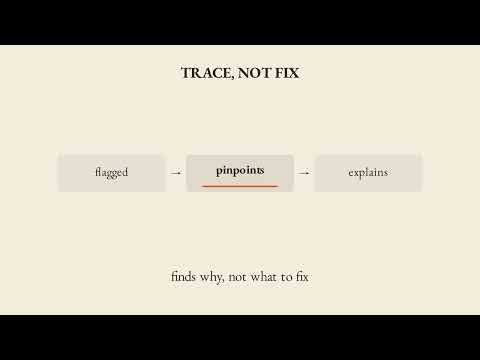
The video follows a single example, a balance sheet that is off by a fixed amount. The steps run in sequence. The balance check comes first, the mismatch is found, the affected cells are cited, and a finding is reported. Then the skill stops. Nothing is rewritten, and the finding waits for you to look at it.
What a clean or flagged result does not mean
Two cautions follow from the example. A clean balance sheet pass does not mean the whole model in scope is error-free. It only clears that one check, and formula errors elsewhere are checked separately. In the other direction, a balance sheet imbalance flag does not mean every downstream number is individually wrong. It means those numbers are unverified until the imbalance is resolved, not confirmed incorrect. In both cases, nothing in the sheet has been changed.
Finding versus fixing
The video closes by dividing the work. Finding the problem is Claude's job here, and fixing it stays yours. The audit flags every suspect formula by cell, but a person decides what to change and whether a flagged item is actually wrong.
Key takeaways
- The audit-xls skill reports problems and cites them by cell; it does not rewrite formulas.
- It checks the balance sheet first because an imbalance makes everything downstream suspect.
- After the balance check, it scans for formula errors and common mistakes in the chosen range, sheet or model.
- A clean balance sheet pass clears only that one check, not the whole model.
- An imbalance flag means downstream numbers are unverified, not confirmed wrong.
- The spreadsheet is unchanged until you act on the report.
- Fixing the problem remains the user's job.
Try it yourself
Give Claude a spreadsheet with one formula you already know is wrong, and ask it to run the audit-xls skill: check balance first, then scan for formula errors and report what it finds by cell. Afterward, open the sheet and check whether the formula itself changed. Looking at the sheet after the run is the quickest way to confirm that the skill reports rather than repairs.
Chapters
Full transcript(auto-generated, with timestamps)
Can Claude just fix my spreadsheet?
[0:00]Someone asks if Claude will just fix a broken spreadsheet. It won't. AuditXLS checks the model and reports what's wrong. Liam takes you through what it actually does. The natural guess is that
Fix it, or report it?
[0:10]Asking Claude to audit a spreadsheet means it finds the errors and fixes them while it's in there. But, the skill doesn't work that way. It audits a spreadsheet for formula accuracy, errors, and common mistakes and reports what it finds cited by cell. Give it a sheet with a formula you already know is broken and check the sheet again after the formula is untouched. What changed is the report, not the spreadsheet. What
One mismatch, four stops
[0:30]It actually checks and in what order? BS balance first. If the balance sheet doesn't balance, everything downstream is suspect. Watch the anchor. A balance sheet off by a fixed amount. It's checked first, the mismatch is found, the affected cells are cited, and a finding is reported. Then, it stops. Nothing is rewritten. So, back to that
Reported, waiting
[0:47]Balance sheet. Reported, cited, waiting for you to look. But, a clean BS balance pass doesn't mean the whole model in scope is error-free. It only clears that one check. Formula errors elsewhere are checked separately. And a BS imbalance flag doesn't mean every downstream number is individually wrong. It means they're unverified until the imbalance is resolved, not confirmed incorrect. Either way, nothing in the sheet has been changed. AuditXLS checks the balance sheet first, then flags every
Carry-out
[1:12]Suspect formula by cell, but it never rewrites one. Finding the problem is Claude's job here. Fixing it stays yours. Your turn. Here's the prompt. Read it with me. Give Claude a
Your turn
[1:22]Spreadsheet with one formula you already know is wrong and ask it to run the AuditXLS skill. Check balance first, then scan for formula errors and report what it finds by cell. Then, open the sheet afterward and check whether the formula itself changed. Liam in for bear. When Claude audits a spreadsheet, does
Outro
[1:39]It fix anything? Liam in for bear.