Claude Skills Fire by Description, Not by Name
This video explains that a Claude skill is activated when your request matches the description in its SKILL.md, not when you type its name. A hookify rule-writing skill shows what a match and a miss each look like.
A common assumption is that you have to type a skill's exact name to switch it on. The video says you do not. You describe the task, and Claude checks your wording against the description written in the skill's file. When your words land inside that description, the skill fires. When they do not, the skill stays off, and Claude still answers, only without that file's playbook.
A skill is a folder with one file
A Claude skill is a folder holding a single file, SKILL.md. Near the top of that file sits a plain paragraph that says exactly when the skill should be used. That paragraph is what does the matching. Nobody has to name the skill to activate it. The video's example is a request like "help me write a rule for Hookify": it never names any skill, and the matching skill still fires.
Claude reads your request against the paragraph
According to the video, Claude reads your request against the skill's description word for word. There is no menu, no button, and no name required. The worked example is a skill called writing-hookify-rules. Its real description says it fires for four phrases: "create a hookify rule," "write a hook rule," "configure hookify," or "add a hookify rule."
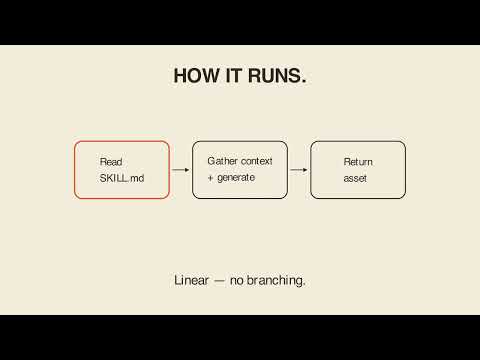
The video asks the viewer to watch this anchor. Type a request that lands inside that wording and the match fires the skill. Claude then opens the file and follows it step by step.
Same wording in, same skill out
Ask again, this time for something like adding a rule to Hookify that blocks a dangerous command, and the same match fires again. The video's phrasing is that the same wording in produces the same skill out, every time.
When nothing matches
The contrast case is a request unrelated to the description. The video uses "explain YAML in general." None of that wording appears in the skill's paragraph, so the skill stays off. Claude does not refuse or get stuck; it answers from what it already knows, just without this file's playbook. A request that does not match simply does not fire that particular file.
What happens after a match
Once the skill fires, Claude follows exactly what the file says and nothing more. The video's carry-out is that a skill fires when your words match its description, not when you name it. The video also keeps its claim narrow. It states the mechanism shown by the skill's own description field and does not say how the matching is computed internally.
Key takeaways
- You do not need to type a skill's name to use it; you describe the task.
- A skill is a folder with one file, SKILL.md, and a plain paragraph near the top says when to use it.
- Claude compares your request against that paragraph, with no menu, button, or name involved.
- The writing-hookify-rules skill fires for phrases such as "create a hookify rule," "write a hook rule," "configure hookify," and "add a hookify rule."
- Similar wording produces the same skill every time.
- An unrelated request, such as explaining YAML in general, leaves the skill off while Claude still answers.
- After a match, Claude follows what the file says and nothing beyond it.
Try it yourself
Ask Claude: "I want to add a hookify rule that blocks rm -rf commands. Read the writing-hookify-rules skill first, and walk me through what you'll do before you do it." Notice that you never name the skill in the task itself. Asking Claude to explain its plan before acting shows whether the match actually landed on the right skill. If you have your own skill, rewrite its description using phrases people would really say and try the same test.
Chapters
Full transcript(auto-generated, with timestamps)
How do I name the skill I want to use?
[0:00]You might think you type a skills exact name to switch it on. You don't, you describe the task and Claude checks that against the file. So, how do you describe the skill you want? A Claude skill is a folder with one file skill.md
The paragraph is doing the matching
[0:12]And near the top sits a plain paragraph saying exactly when to use it. Nobody has to name the skill to switch it on. Say help me write a rule for Hookify never naming any skill and it still fires. The paragraph is doing the matching not you. Claude reads your
The anchor — four real phrases
[0:26]Request against that paragraph word for word, no menu, no button, no name required. The skills paragraph says it fires for create a Hookify rule, write a hook rule, configure Hookify, or add a Hookify rule. Watch the anchor, type a request that lands inside that wording and the match fires the skill. Claude opens the file and follows it step by step. Ask again to add a rule to Hookify
Same match, or none at all
[0:47]Blocking a dangerous command and the same match fires every time, same wording in, same skill out. Ask something unrelated instead, say explain YAML in general and none of that wording is in the paragraph. The skill stays off. Claude still answers just without this files playbook. A skill fires when
Carry-out
[1:04]Your words match its description, not when you name it. From there, Claude follows exactly what the file says and nothing more. Your turn, here's the prompt, read it
Your turn
[1:12]With me. I want to add a Hookify rule that blocks rm -rf commands. Read the writing Hookify rule skill first and walk me through what you'll do before you do it. That last clause matters, asking Claude to explain first is what shows whether the match actually landed on the right skill. Liam in for Bear. Claude writing Hookify rules, Liam in
Outro
[1:31]For Bear.