Writing Hookify Rules
Liam walks through how a Hookify rule is a plain markdown file with five YAML frontmatter fields, name, enabled, event, pattern, and action, that Claude reads fresh before every tool call to block or warn on matching commands.
Someone wants Claude to automatically catch a dangerous command before it runs. Their first instinct is to write a script. Liam explains that Hookify needs no code at all, just a rule, and walks through how to write one that actually blocks something like rm -rf.
A rule, not a script
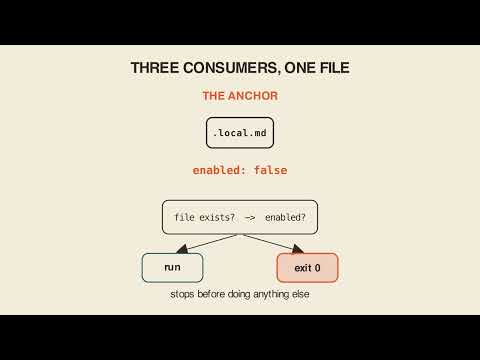
A Hookify rule is not code, it is a markdown file. It gets saved at .claude/hookify.{name}.local.md, with a YAML frontmatter block on top and a message underneath. There is no build step and no restart required. Claude reads the file fresh on every single tool call, so an edit to the rule takes effect on the very next call.
The five fields
Five frontmatter fields sit above the message: name, in kebab-case with the verb first; enabled, true or false; event, one of bash, file, stop, prompt, or all; pattern, a regex to match against; and action, which defaults to warn, while block stops the operation outright.
The anchor example
Watch the anchor case: event: bash, pattern matching rm -rf, action: block. Claude reaches for the command, the pattern matches, and it never runs. Getting that pattern exact means the block fires reliably every time, because the check is a straightforward regex match against the command text.
Precision cuts both ways
The same precision that makes a pattern reliable also makes it fragile in both directions. Pattern the word "log" and it also catches "catalog" and "login," blocking or warning on things nobody actually intended to flag. Pattern only rm -rf /tmp specifically, and the identical danger typed against a different path sails straight through unblocked. A Hookify rule only catches exactly what its pattern says, no more and no less, so writing the pattern carefully matters as much as choosing the right action.
Warn versus block
It is worth being explicit that warn is the default action, and warn still lets the command run, it just surfaces a message. Only an explicit action: block actually stops the operation. Confusing the two means a rule that looks like protection but does not actually prevent anything.
Checking file paths, not just typed text
For rules meant to catch sensitive file edits, like warning when editing a .env file, the more reliable approach checks the file_path directly using a conditions block, rather than only scanning the new text being written into the file. A path check catches the edit itself, regardless of what content gets typed, while a text-pattern check only catches specific wording that happens to appear.
Key takeaways
- A Hookify rule is a plain markdown file with YAML frontmatter, saved at
.claude/hookify.{name}.local.md, requiring no code or restart. - The five frontmatter fields are
name,enabled,event(bash, file, stop, prompt, or all),pattern, andaction(defaulting towarn, withblockavailable to actually stop an operation). - Claude reads the rule file fresh on every tool call, so edits take effect immediately on the next call.
- A pattern that is too broad, like matching "log," catches unrelated matches like "catalog" and "login"; a pattern that is too narrow, like a specific path, lets the same danger through on a different path.
- For catching sensitive file edits reliably, checking
file_pathdirectly in aconditionsblock works better than scanning only the newly written text.
Who this is for
Claude Code users who want to automatically block or flag risky commands and file edits without writing custom scripting, and who need to understand exactly what a pattern-based rule will and will not catch.
Chapters
Full transcript(auto-generated, with timestamps)
How do I write a script to stop Claude from running rm -rf?
[0:00]Someone wants Claude to catch a dangerous command automatically. Their first thought, write a script, but Hookifiy needs no code, just a rule. So, how do you write one that blocks rm -rf? A Hookifiy rule isn't code, it's a
A rule, not a script
[0:12]Markdown file. Save it at .claude/hookifiy.name.local.md with a YAML front matter block on top and a message underneath. There's no build step and no restart. Claude reads the file fresh on every single tool call, so an edit takes effect on the very next one. Five front matter fields sit above the
Five fields — the anchor
[0:30]Message. Name, kebab case verb first. Enabled, true or false. Event, bash, file, stop, prompt, or all. And pattern, a rejects to match. Action defaults to warn, block stops the operation outright. Watch the anchor event bash pattern matching rm -rf action block. Claude reaches for the command, the pattern matches, and it never runs. Get
Precision cuts both ways
[0:49]That pattern exact and the block fires every time, reliable because the check is a straight rejects match. But precision cuts both ways. Pattern the word log and you also catch catalog and log in blocking things that nobody asked about. Pattern only rm -rf/tmp and the identical danger typed against a different path sails straight through. A Hookifiy rule isn't a script you write,
Carry-out
[1:10]It's a markdown file Claude reads before every tool call, and it only catches exactly what its pattern says, no more, no less. Your turn, here's the prompt,
Your turn
[1:19]Read it with me. Create a Hookifiy rule that blocks rm -rf commands and one that warns when editing in files. Watch two things when Claude answers. Does the rm rule set action to block, not warn? Warn still lets the command run. And does the env rule check file path directly in a conditions block rather than only the new text being written? A path check catches the edit itself, not just what's typed inside it. Liam. Env forbear,
Outro
[1:42]Writing Hookifiy rules, Liam forbear.