The ai-explainer Skill | How Brutalist Builds Explainers
Liam, in for Bear, tears down the ai-explainer skill that reads a full skill file before drawing a single frame, showing its six-beat spine and the rule that generated visuals must be preceded by the prompt that made them.
Liam, in for Bear, tears down the skill responsible for the video being watched: ai-explainer. It's the skill invoked for the brutalist Claude cut, cream page, warm ink, one terracotta accent, real narration, and a workflow that reads a skill file end to end before drawing a single frame.
Not a template pack
The easy mistake is calling this skill a template pack. It isn't. It's a workflow that reads a whole skill file, sets the brand and voice, drives every phase, and refuses to publish on its own. A skill here is a folder: a skill file at the top that Claude reads before doing anything, plus the files it references for ai-explainer, the register prose, the brand file, the outro lock, pipeline safety notes, and the parent explainer chassis it extends. The instructions govern; the code just executes them. The pipeline itself runs in a fixed order: scaffold the folder and brand metadata, write narration in the teardown register, generate the voice locally with Kokoro, fill each beat's visual slot from scenes, Manim fragments, or on-screen code blocks, then compile to a 4K master beside the reel. It never uploads and never publishes.
The six-beat spine
The first design decision fixes the shape of every reel: cold open on the Claude composer, a beat where a hesitant writer corrects a real misconception into the reel's actual claim, a body that illustrates the verdict as an artifact card, a handoff that types a paste-ready prompt, and an outro that restates the title. Six moves, the same in every episode.
The interface-only-when-it's-the-subject rule
The second decision is that the Claude interface only appears where the interface itself is the subject: the cold open, the ask, the verdict, and the handoff-outro. Every other beat has to illustrate its concept instead, through a diagram, a Manim fragment, an on-screen code block, or a Remotion illustration. Two composer beats in a row is treated as a smell, and seven videos of composer wallpaper is the specific failure this law exists to prevent.
Ask before receipt
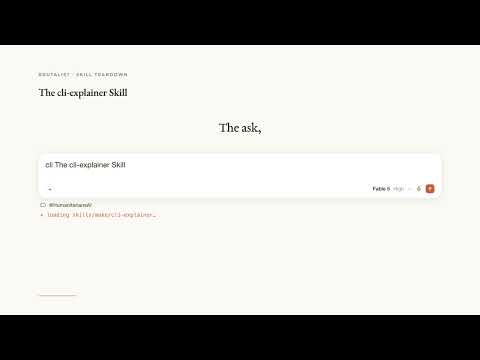
The third decision governs generated visuals specifically: whenever the reel is about to show one, it first shows the Claude prompt that made it, a composer beat with the actual prompt typed in, then the graphic. Never a rendered chart alone, always the ask followed by the receipt. That habit is why the brand feels like the tool it's teaching rather than a slideshow about it.
Where the skill bites, and the Liam substitution
Because the instructions govern everything, an unread paragraph becomes a silent bug: a stale outro, a missing beat, a wallpaper reel. Linting helps, but the discipline stays human. Liam is named as a substitute voice, never a Bear clone; if a real project needs Bear's own voice, that gets rebuilt on the Bear channel specifically, a one-variable change the skill won't fake on its own.
Key takeaways
- ai-explainer is a workflow that reads its full skill file, sets brand and voice, and drives every production phase, not a set of pre-made templates.
- Every reel follows the same six-beat spine: cold open, misconception correction, verdict-as-artifact, illustrated body, paste-ready handoff, and title-restating outro.
- The Claude interface is restricted to beats where the interface is literally the subject; everything else must illustrate its concept some other way.
- Any beat showing a generated visual must first show the Claude prompt that produced it, ask then receipt, never a chart or diagram alone.
- Liam is a named substitute narrator, not a clone of Bear's voice; using Bear's actual voice requires an explicit, separate rebuild.
Who this is for
This is for anyone using Claude Code's brutalist toolkit to build educational explainer videos, and for skill authors who want a concrete example of a markdown file that locks a video's narrative structure, visual rules, and publishing boundaries in one place.
Full transcript(auto-generated, with timestamps)
[0:00]Hedge, this is Liam in for bear. Today we tear down the skill that made this video AI explainer. It's the one you point claw at when you want the brutalist clawed cut, cream page, warm ink, one terracotta accent, a real narrator, and a whole workflow that reads a skill file end to end before it draws a single frame. Here's how it actually works. The easy mistake is to call this skill a template pack. It isn't. It's a workflow that reads a whole skill file, sets the brand and voice, drives every phase, and refuses to publish. When you ask for the claude cut, this is the file Claude opens
[0:31]First. A skill is a folder, a skill file at the top, the doctrine Claude reads before doing anything and the files it references for AI explainer. That means the register pros, the brand file, the outro lock, the pipeline safety notes, and the parent explainer chassis it extends. The instructions govern the code just executes them. The skill runs one pipeline always in the same order. Scaffold the folder and brand metadata. Write narration in the tear down register. Generate the voice locally with Kakoro. That's the clock. Fill each beat's visual slot from scenes, man fragments, or on code blocks. Then compile to a 4K master beside the reel.
[1:07]Never uploads, never publishes. The first design decision is the shape of every reel. Cold open on the clawed composer. Beat two is a hesitant writer correcting a real misconception into the re's actual claim. The body illustrates the verdict is an artifact card. The handoff types a paste ready prompt. The outro restates the title. Same six moves every episode. Second decision. The clawed interface only appears where the interface is the subject. Cold open ask beats verdict handoff outro. Every other beat has to illustrate its concept. A diagram a manom fragment and on code block. A remotion illustration. Two composer beats in a row is the smell.
[1:43]Seven videos of composer wallpaper is the failure this law exists to prevent. Third decision. Whenever the reel is about to show a generated visual, it first shows the clawed prompt that made it. Composer beat with the actual prompt typed in, then the graphic. Never a rendered chart alone. Always the ask, then the receipt. That habit is why this brand feels like the tool it's teaching, not a slideshow about it. Here's where the skill bites. The instructions govern everything, which means an unread paragraph is a silent bug, a stale out row handle, a missing beat to a wallpaper reel. The lint helps, but the discipline is human. And Liam is a named
[2:16]Substitute, never a bear clone. If a real needs bear's voice, you rebuild it on the bear channel. That's a one variable change, not a reauthoring, but it is a change and the skill will not fake it. The verdict AI explainer is the skill that turns a topic into a brutalist clawed reel. Cream page, warm ink, one terracotta accent, real narration, and a spine you can teach. It reads the whole doctrine before it draws. It illustrates the middle. It never publishes. Your turn. Paste this into clawed code inside a clone brutalist toolkit. Use the AI explainer skill to build a 200 second reel about a concept in your field with the Liam
[2:50]Voice kakorommonics the humanitarian's AI handle. No captions and no publish step. Then check does the middle illustrate not wallpaper. Does every generated visual land after its ask if both hold the skill did its job. That was the AI explainer skill. Lay them in for bear.
More from Brutalist (Film as Code)
 2:28
2:28Your First Brutalist Project | Build a One-Minute Film
 3:49
3:49The anthropics Skill | Claude’s Official Skill Library
 2:45
2:45Download Brutalist with Claude Code | Setup Guide
 3:15
3:15The cli-explainer Skill | Claude Code on Screen
 3:30
3:30Automating the YouTube Review Pipeline | Vikhyat
 3:34
3:34