MCP Transports Explained: Match the Transport, Not the Key
Connecting a Claude plugin to an outside service over MCP starts with choosing the right transport, not the right key. This video compares the four transport types and covers the config habits and exact-name rule that prevent silent failures.
When a Claude plugin needs to talk to an outside service, the first question is often which key it needs. This video argues that is the wrong question. The real choice is which transport the plugin needs, and a handful of configuration habits then decide whether the setup works quietly or fails without a sound.
Four transport types
Each MCP server uses exactly one of four transports, and the video describes them by where the service lives.
- Stdio spawns a local process. Claude Code starts it, talks to it over standard input and output, and shuts it down when finished. It suits custom servers and local tools.
- SSE connects to a hosted server and handles OAuth automatically. You log in once in a browser, and Claude Code manages the tokens afterwards. It is the type for official hosted services such as GitHub or Linear.
- HTTP calls a REST API with a token in the request headers, for stateless one-off calls.
- WebSocket keeps a live two-way connection open for real-time updates.
The summary the video gives is to match the transport to where the service actually lives: stdio for local, SSE for hosted OAuth, HTTP for tokens and WebSocket for real time.
Lazy loading and restarts
All four transports load lazily. Nothing connects until you actually use one of the server's tools, and a configuration change needs a restart before it takes effect.
Habits for a multi-server plugin
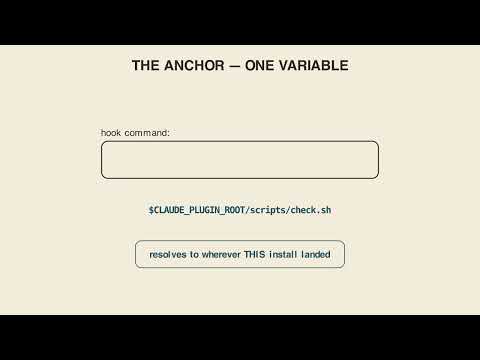
A few patterns keep a plugin with several servers manageable. Put server configuration in its own .mcp.json file instead of burying it inline in plugin.json, which keeps it isolated and easier to maintain as servers are added. Use the Claude plugin root variable, CLAUDE_PLUGIN_ROOT, for every file path and never a hardcoded one, so the plugin still works after it is installed somewhere else.
Pre-allowing tools by exact name
When you pre-allow tools for a command, list the exact tool names rather than a wildcard. The format joins mcp, the plugin name, the server name and the tool name, separated by double underscores. The video advises running /mcp first to see the real names before writing the list.
Wrong by one character
The name has to match character for character. If a single letter is wrong in the pre-allow list, the tool does not show up, with no error and no warning. There is a related trap for stdio and HTTP servers: the credentials they need are just environment variables, and nothing checks them until the first real call. A broken setup can therefore look perfectly healthy right up to that moment.
Key takeaways
- The central choice is which transport the plugin needs, not which key it uses.
- Stdio is for local processes, SSE for hosted services with automatic OAuth, HTTP for token-based REST calls, and WebSocket for live two-way connections.
- All transports load lazily, and configuration changes require a restart.
- Keep server configuration in
.mcp.json, separate fromplugin.json. - Use
CLAUDE_PLUGIN_ROOTfor every path. - Pre-allow exact tool names, and run
/mcpfirst to learn them. - A one-character error in a tool name fails silently, and environment variables are not checked until the first call.
Try it yourself
Paste this into Claude: add a GitHub SSE MCP server and a local custom stdio server to my plugin. Then check what it wrote. Did it put the servers in .mcp.json, kept separate from plugin.json? Does every path use CLAUDE_PLUGIN_ROOT instead of something hardcoded? Before pre-allowing any tools, did it tell you to run /mcp first to get the exact names? Try this on your own plugin idea, not the video's example.
Chapters
Full transcript(auto-generated, with timestamps)
The naive framing: "what key does my plugin need?"
[0:00]Someone assumed the only thing that matters is which key to use. It isn't. The real choice is which transport your plugin needs. So, what kind of transport does my plugin need for a service? Four transport types, and each server
Four transport types
[0:12]Uses exactly one. STDIO spawns a local process, Cloud Code starts it, talks over standard input and output, and shuts it down when it's done. That's for custom servers and local tools. SSE connects to a hosted server and handles OAuth automatically. You log in once in a browser, and Cloud Code manages the tokens after that. That's the type for official hosted services like GitHub or Linear. HTTP calls a REST API with a token in the request headers for stateless one-off calls. WebSocket keeps a live two-way connection open for real-time updates. All four load lazily.
Portable paths, exact names
[0:45]Nothing connects until you actually use one of its tools, and a config change needs a restart before it takes effect. A few patterns keep a multi-server plugin manageable. Put server config in its own {dot} mcp.json file instead of burying it inline in plugin. JSON, it stays isolated and easier to maintain as servers are added. Use the Cloud Plugin Root variable for every file path, never a hard-coded one, so the plugin still works after it's installed somewhere else. And when you pre-allow tools for command, list the exact tool names instead of a wildcard. The format is mcp double underscore the plugin name the server name double underscore the tool
Wrong by one character
[1:20]Name all stitched together. Run {slash} mcp first to see the real names before you write that list. Here's the catch, that tool name has to match character for character. Get one letter wrong in the pre-allow list, and the tool doesn't show up. No error, no warning, it's just not there. And for STDIO or HTTP servers, the credentials they need are just environment variables. Nothing checks them until the
Carry-out
[1:41]First real call. So, a broken setup can look perfectly healthy right up until that moment. Match the transport to where the service actually lives. STDIO for local, SSE for hosted OAuth, HTTP for tokens, WebSocket for real-time.
Your turn
[1:56]Then pre-allow the exact tool name because one character off and it fails silently, not loudly. Your turn. Paste this into Claude. Add a GitHub SSCMCP server and a local custom SSDDO server to my plugin. Then check what it wrote. Did it use .mcp.json kept separate from plugin JSON? Does every path use the Claude plugin root variable instead of something hardcoded? And before it pre-allows any tools, did it tell you to
Outro
[2:19]Run /mcp first to get the exact names? That's the real test of a working setup. Match the transport, not the key. Lay 'em in for bare.
More from Extending Claude — Skills, Plugins & Connectors
 2:27
Playground Skills: the Prompt Is the Deliverable
 1:48
Proof Checking: Why the Verifier Never Sees Your Thinking
 1:38
Claude Plugin Settings: the File, the Gap, and the Restart
 2:23
Onboard an M5Stack Board With One Claude Command
 1:47
Claude Plugin Paths: Why Hardcoded Paths Break Your Plugin
 2:44