Claude, Asana API.
Claude does not click around inside Asana; it calls the Asana REST API and reads back JSON. The video explains the two habits behind every call, using a gid rather than a name and unwrapping data, plus why pagination matters.
A common assumption is that Claude manages your Asana tasks by opening the app and clicking around. The video explains that it does not. Claude calls Asana's own REST API directly, sending requests and reading back JSON. The video then looks at what that API returns and the two habits that decide whether a request gives the right answer.
Claude calls the API, not the app
Instead of working through the Asana interface, Claude sends requests to the API and reads the JSON that comes back. This is the starting point of the whole video: the question is not how Claude navigates a screen, but what the API's responses look like and how Claude has to handle them. The video frames this with a simple request, asking Claude to list your incomplete tasks.
A data envelope, not a bare list
The answer to that request does not come back as a bare list. Every response the Asana API sends, whether a read or a write, arrives wrapped under a top-level data key. Every object inside it is addressed by a gid, a string global ID, never by a name. Anything that expects a plain array, or that tries to refer to an object by its name, will go wrong.
How the objects nest
The objects nest the same way every time. A workspace holds projects. A project holds sections and tasks. A task carries comments and subtasks. This predictable structure is what lets one pattern work across the whole API.
One request traced through
Take a request for every incomplete task assigned to you in one project. Claude first resolves your name to a gid. It then lists the tasks under that project's gid, unwrapping data at each step. If the bundled script keeps requesting until the pages run out, the list comes back complete, page after page.
When a request looks fine but is wrong
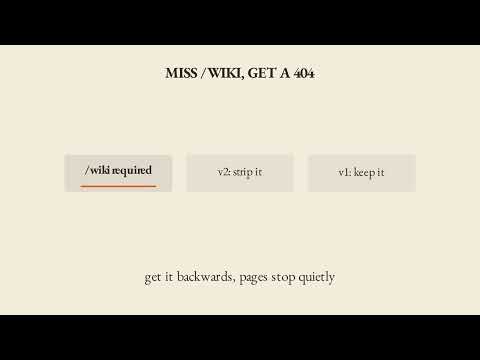
Skip either habit and the request can look successful while quietly returning the wrong task or only the first page. Assuming a name works where a gid is required is one mistake. Assuming the first page is the whole list is the other. The video adds one more thing to watch for: workspace search is capped at 100 results and does not paginate at all. It is the one operation that does not follow the other nine.
Key takeaways
- Claude does not click around inside the Asana app; it calls the REST API and reads JSON.
- Every response, read or write, arrives wrapped under a top-level data key.
- Every object is addressed by a gid, a string global ID, never by a name.
- Objects nest consistently: a workspace holds projects, a project holds sections and tasks, and a task carries comments and subtasks.
- Claude resolves your name to a gid before listing tasks, and unwraps data at each step.
- A bundled script that keeps requesting until the pages run out returns the complete list.
- Workspace search is capped at 100 results and does not paginate, unlike the other operations.
Try it yourself
Ask Claude to list all incomplete tasks assigned to you across all your Asana workspaces, and to tell you which ones are due this week. Then watch three things. Does it work out who you are before it lists anything? Does it unwrap data from every response rather than assuming a bare array? And does it use the bundled script, rather than a single unpaginated request that could quietly miss tasks past the first page?
Chapters
Full transcript(auto-generated, with timestamps)
Claude must open the Asana app and click around. Is that it?
[0:00]Someone assumes Claude opens the Asana app and clicks around to manage tasks. It doesn't, it calls the Asana API directly sending and reading back JSON. So, what does that API actually look like? Ask Claude to list your incomplete
Not a bare list — a data envelope
[0:13]Tasks and the answer doesn't come back as a bare list. Every response the Asana API sends, a read or a write, arrives wrapped under a top-level data key and every object inside it is addressed by a gid, a string ID, never a name.
Workspace to task, then one request traced through
[0:27]The objects nest the same way every time. Workspace holds projects, a project holds sections and tasks, a task carries comments and subtasks. Ask for every incomplete task assigned to you in one project and Claude resolves your name to a gid, then lists tasks under that project's gid, unwrapping data at each step. Get both
Complete — or quietly wrong
[0:45]Habits right and that same request returns every task page after page because the bundled script keeps requesting until the pages run out. Skip either one, assume a name works where a gid is required, or assume the first page is the whole list and the request can look successful while it quietly hands back the wrong task or One more thing to watch for, workspace search is capped at 100 results and doesn't paginate at all. It's the one operation that doesn't follow the other nine.
Carry-out
[1:11]Every Asana call Claude makes turns on two habits, a gid instead of a name and a response unwrapped from data. Get those right and the 10 operations take care of themselves.
Your turn
[1:21]Your turn, here's the prompt, read it with me. List all incomplete tasks assigned to me across all my Asana workspaces and tell me which ones are due this week. Watch three things. Does it resolve who you are before it lists anything? Does it unwrap data from every response instead of assuming a bare array? And does it use the bundled script instead of a single unpaginated request? Lay 'em in for bare. Claude
Outro
[1:42]Asana API, lay 'em in for bare.